Free coding development software
Resource Hacker is a free resource editing tool for Microsoft Windows PCs and laptops with both 32-bit and 64-bit operating systems. Developed and released by Angus Johnson, Resource Hacker is a lightweight application that does not require a large storage space on PC devices.
Top Recommended Alternative
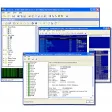
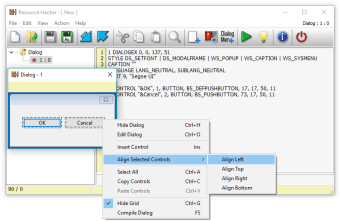
Resource Hacker allows users to view, edit, add, extract, and delete resources within executable files and associated libraries such as .exe, .dll, .scr, and .res. This tool is primarily aimed at developers, modders, and system customizers who need to interact directly with the resource components of Windows applications, including icons, strings, dialogs, and menus.
A Swiss Army Knife for executable resources
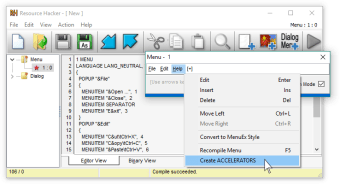
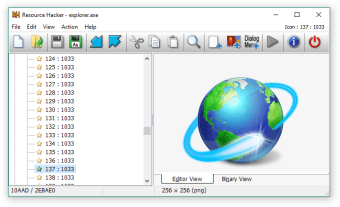
Resource Hacker lets you decompile and recompile resources in Windows binaries, meaning you can extract an icon from a program, replace images or text, modify dialog layouts, or tweak metadata without having the source code. It supports both 32-bit and 64-bit executables and provides a graphical interface, as well as command-line options for scripted or batch edits. Users can open executable files, explore resource categories, and make changes via a clear editor panel.
People use Resource Hacker for a wide range of purposes, from customizing app icons to match a personal theme, localizing software by changing strings, modifying installer dialogues for custom packaging, or even recovering assets like bitmaps and icons for reuse elsewhere. Advanced users sometimes integrate the tool into automated build processes via command‑line scripts to batch replace resources across multiple files. Its flexibility makes it useful for both hobby projects and practical development tasks.
A nifty tool for digging into Windows binaries
For those familiar with Windows internals or development, Resource Hacker’s interface and feature set feel powerful and direct: it doesn’t hide options behind walls, and almost everything you can do is available from menus or script commands. However, for beginners or casual users, the tool can feel overwhelming initially. Because this tool edits compiled executables, backup habits and caution are essential to prevent unusable files.
The most recent major release of Resource Hacker is version 5.2.8, which includes bug fixes such as correcting compilation issues with certain dialog controls and enhancing the handling of text encoding. This update continues the tool’s long-running tradition of incremental improvements and compatibility tweaks for contemporary Windows versions, while maintaining the freeware spirit intact. However, it’s limited to Windows platforms and has a steep learning curve for beginners. Moreover, it has no built-in graphics editor.
A powerful tool for resource modification
Resource Hacker stands as a valuable freeware utility for developers and power users who need direct access to Windows executable resources. It excels in extracting, editing, and modifying icons, dialogs, and metadata without requiring source code, making it ideal for customization and development workflows. Although rich in functionality, it requires caution and familiarity with binary structures and lacks built-in graphical editing tools, which may pose a challenge to new users.







.png)






.png)